
For a YouTube Short, write the answer before the introduction. Generate a focused narration with Voice AI in Canva, build the visuals around that answer, and export a video that makes sense without a longer episode. A useful Short can teach one small decision rather than summarize an entire tutorial.
The working example asks why a flyer that looks readable on a monitor can become difficult to read when printed small. It is a fictional production exercise, not a scientific test. You will plan a question, a visual comparison, and one practical action, then check that the spoken explanation survives a small-screen viewing.
Choose one question with a complete answer
Start with a question that can be resolved using the images you can show. “How do I design better?” is too broad. “Why is this small print hard to read?” can be demonstrated with two crops of the same flyer. The second version creates a clear job for both narration and visuals.
Write the takeaway in one sentence: “Check the text at its actual viewing size before approving the design.” Every line should support that takeaway. Remove the story of how you discovered the problem unless that story changes the advice. A Short should not require the viewer to visit another video to understand its promised answer.
Choose a vertical Canva video design for this exercise. Current YouTube guidance accepts square or vertical qualifying Shorts up to three minutes. That is an eligibility boundary, not a target to fill. This example is intentionally much shorter because its explanation only needs one comparison.
Use a question, a reveal, and a practical next action
Draft the script as a compact explanation with three jobs. The question names the problem, the reveal makes its cause understandable, and the final line tells the viewer what to check. Avoid an opening that spends its entire first sentence asking people to subscribe before they know what they will learn.
- Question: “Why does this flyer look clear on your monitor but crowded on paper?” Show the design enlarged on screen.
- Reveal: “The zoomed-in view hides how small the supporting text will be.” Cut to the same design at its intended size.
- Action: “Preview the real size, read the small details, then simplify anything you cannot scan comfortably.” Show a cleaner revision.
These are original script lines. Use a genuine before-and-after design you are allowed to show, and avoid presenting the comparison as measured research. Keep the explanation useful even when the viewer does not know which software created the flyer.
Generate narration that leaves room for the reveal
Open Voice AI by imagination-soft in your Canva design and generate a sample of the question and reveal. Choose a voice whose words remain clear without an intense music bed. A measured delivery gives the viewer time to notice the smaller text and understand the comparison.
Read the generated line while watching the intended visual. If the reveal is spoken before the small-size version is visible, move the shot or adjust the script. Do not solve every mismatch by increasing the speaking speed. Preserve a moment in which the viewer can inspect the evidence without new information arriving.
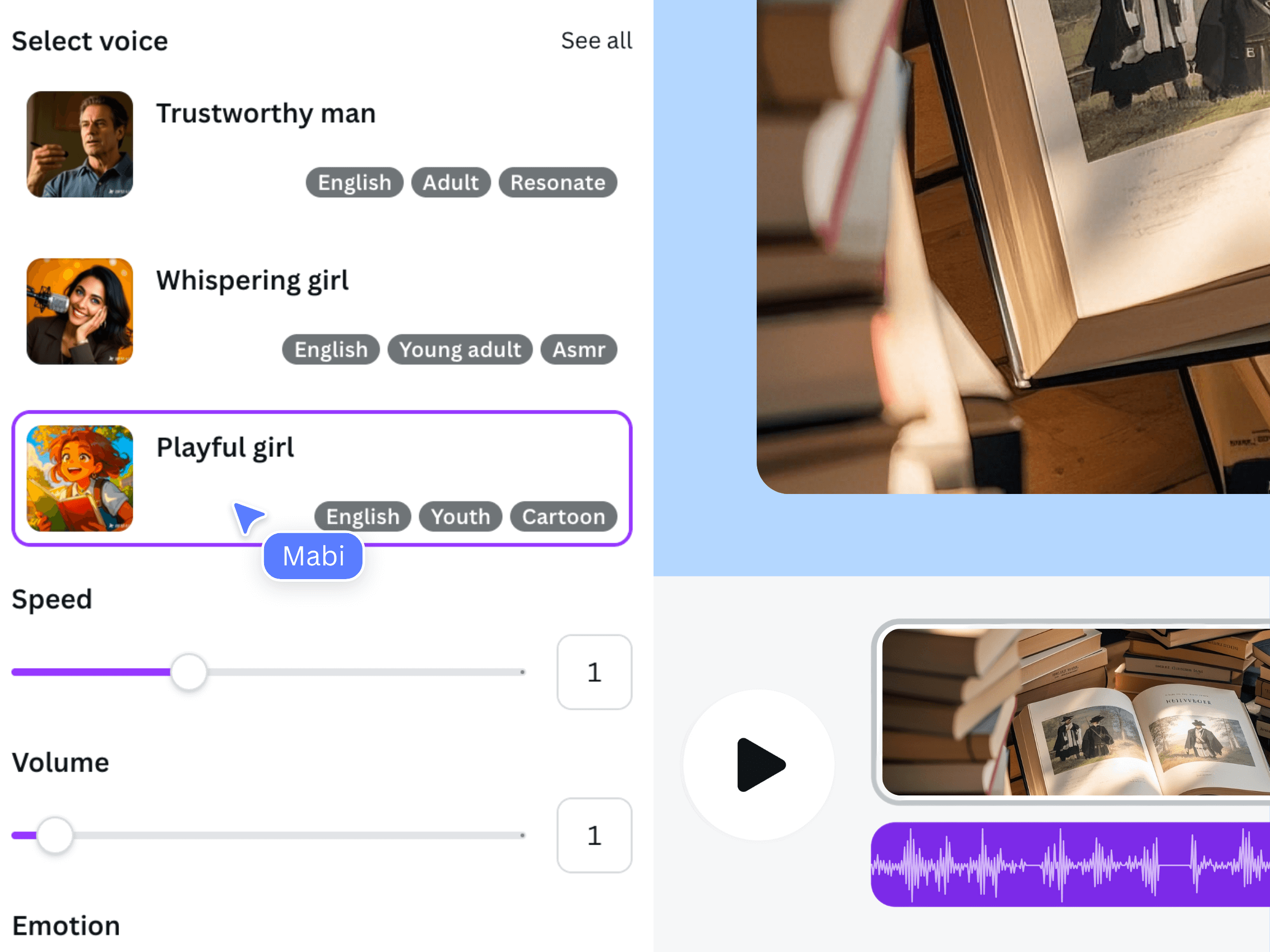
This earlier official product illustration explains where voice and delivery choices fit in the workflow. It does not show this flyer exercise or prove how a chosen voice will pronounce your script. Approve the real sample before generating the remaining passage.
Make the visual comparison legible on a phone
Build a temporary cue sheet with four working beats: question, enlarged view, real-size comparison, and revised result. You might reserve roughly 4, 6, 8, and 6 seconds respectively for an initial assembly. Those timings are planning estimates. Replace them with the actual audio duration and the time needed to read the example.
Show one comparison at a time rather than squeezing a full desktop design into a tiny vertical frame. Use a close crop to establish what changed, then a wider view to show the result in context. Short labels can distinguish “Zoomed view” and “Viewing size” without forcing the viewer to read a paragraph.
Review captions against the approved narration if you include them. A caption correction is especially important when a single word reverses the advice. Keep the essential text away from the frame edges and inspect the finished upload preview, where YouTube’s own controls may occupy space.
Export a self-contained Short and inspect the upload
Play the MP4 outside Canva before uploading. The question should be intelligible immediately, the visual reveal should arrive at the right line, and the final recommendation should complete a thought. If the ending abruptly asks the viewer to watch a longer video, first make sure the Short has already delivered its own answer.
- Listen without watching: does the explanation still identify the comparison?
- Watch without sound: do the labels and images show the question and result?
- Check the first and last spoken words for clipped audio.
- Confirm the file orientation and duration against current YouTube requirements.
- Inspect title, audience and other upload settings before publishing in YouTube Studio.
Keep a revision note that records the exact line you changed and why. If viewers later misunderstand the reveal, you can revise that line and its matching shot rather than replacing the whole concept. This is a clarity workflow, not a claim that a particular edit earns views or eligibility for monetization.
Frequently asked questions
Can I use the same narration as a longer YouTube video?
You can reuse wording you own, but rewrite it so the Short introduces and resolves one question independently. A passage taken from the middle of a tutorial may rely on context that a Shorts viewer has never seen.
Does Voice AI upload the Short to YouTube?
This workflow generates speech in Canva. You assemble and export the video, then complete the upload and publishing settings in YouTube separately. The voiceover app does not make the whole production automatic.
Do I need to fill the three-minute Shorts allowance?
No. The published limit determines which files may qualify; it does not tell you how much explanation your idea needs. Stop when the promised answer and its evidence are complete.
Can I add music after exporting from Canva?
You can decide where to finish the sound mix, but recheck the final upload if you make another audio change. Confirm that the music is appropriate for your intended use and does not obscure the explanation.