
A useful video ad voiceover begins with a clear brief: who the message is for, what can be shown, and which next step the viewer should take. Write that script, generate it with Voice AI in Canva, and arrange the footage so every meaningful claim has visible support. A polished voice cannot rescue an offer the viewer does not understand.
The example here promotes a fictional neighborhood pottery workshop. It avoids prices, discounts, guarantees, customer quotations, and performance claims because those would need real approval and evidence. The goal is a practical production method you can adapt to a genuine business, not a ready-to-run advertisement for an invented service.
Write a brief that keeps the ad focused
Fill in five lines before opening a voice generator: audience, problem, demonstrated benefit, available evidence, and next action. For the workshop exercise, the audience is someone curious about trying pottery; the visible benefit is the opportunity to work with clay in a guided session; the next action is to review the real workshop details.
Choose one message rather than squeezing every business feature into the narration. A beginner session, a private event, and a gift experience may need different footage and different calls to action. Combining them can leave the viewer unsure which one is actually being offered.
Record the placement you intend to use and build the Canva design around its current requirements. A working 25-second edit is merely a planning choice for this example. The correct length and dimensions depend on the actual ad placement and should be checked before final delivery.
Match every spoken claim to something you can show
Make a small claim-to-proof list. If the script says the session includes guidance, plan footage of the real instructor demonstrating a step. If the only available image is a finished bowl, it cannot establish the entire teaching experience. Replace unsupported promises with a description that the visuals and business facts can actually support.
- Potential message: try working with clay. Evidence needed: authentic footage of the materials and the process offered.
- Potential message: guidance during the session. Evidence needed: the real workshop format and an instructor interaction.
- Potential message: view upcoming sessions. Evidence needed: an accurate destination with current workshop details.
- Avoid without substantiation: guaranteed results, best-in-town rankings, invented scarcity or an unverified customer endorsement.
Approve dates, location, inclusions and any offer terms before generating the final narration. Keep a dated source note for details that can change. If the business has not confirmed a claim, removing it is more useful than making the voice sound more confident.
Draft a spoken invitation and a single call to action
A voiceover needs room to sound like an invitation rather than a list of labels. Write short complete thoughts, then read them alongside the footage. The viewer should hear what the experience involves and see it happening. Keep the last action consistent with the destination they will actually open.
Original example script: “Curious about working with clay? Start with a hands-on pottery session. See the process, follow the demonstration, and spend time shaping your own piece. Bring your questions and explore the workshop details before choosing a session. Take a look at the upcoming dates.”
This sample is a writing exercise. Replace it with accurate wording for the real workshop, and do not claim an item is included unless it is. If the destination only collects an inquiry, change the closing from choosing dates to requesting information. The promise, visual ending, and landing page should describe the same next step.
Generate a consistent read and build the edit around the proof
Open Voice AI by imagination-soft in the Canva ad design. Generate a sample using the business name and the closing action. Choose a clear voice and avoid a pace that makes the important details sound like a disclaimer. Keep an approved script so later revisions do not accidentally restore an outdated offer.
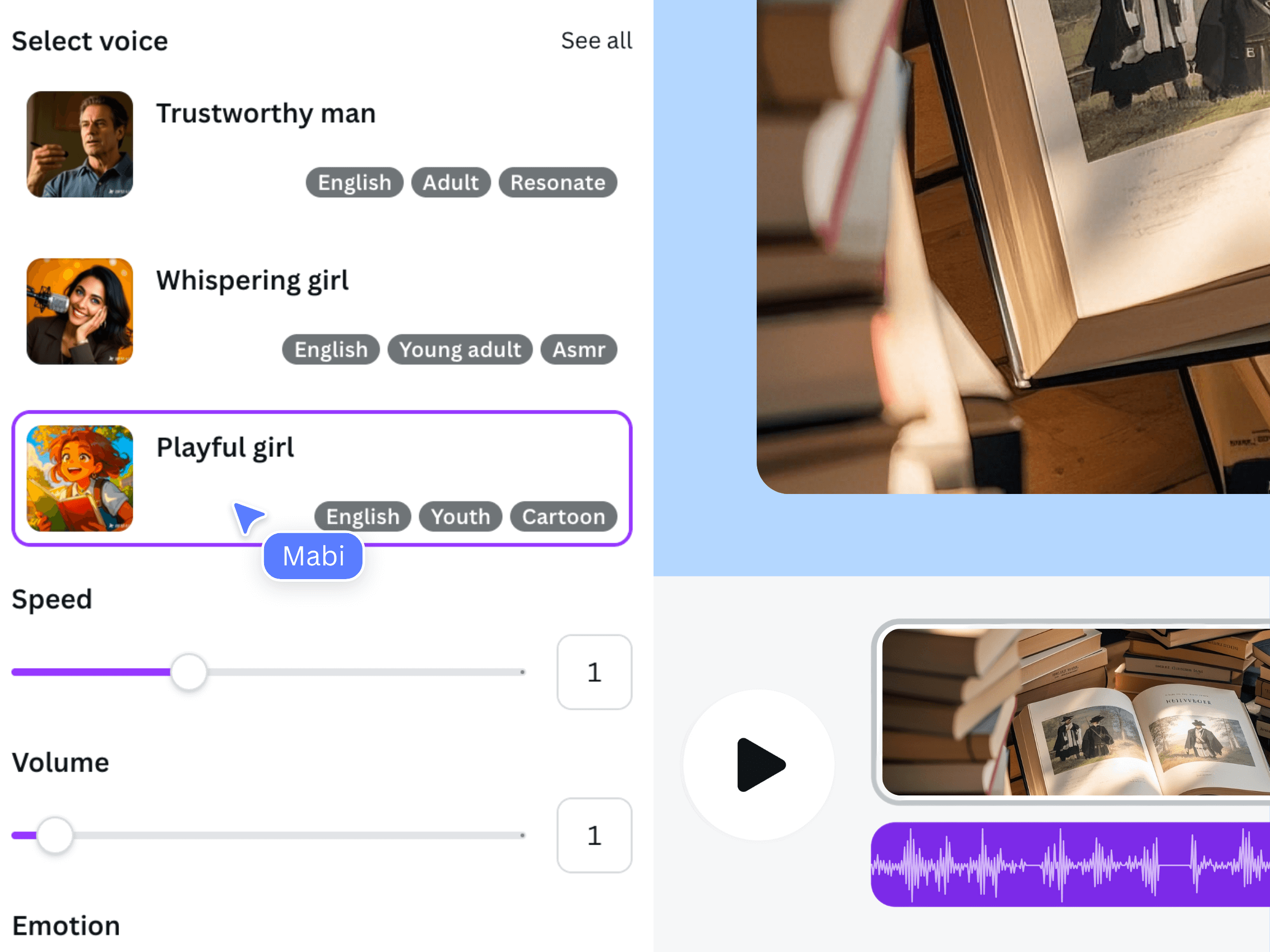
This official earlier-interface illustration introduces the voice-generation controls. It does not show a pottery advertisement. Judge the actual generated sample with your own business terminology before preparing the complete read.
Build a cue sheet with an opening view of clay, a process detail, a genuine demonstration shot, and a final destination card. Assign provisional time to each beat, then let the approved audio determine the cut. If a sentence arrives before its evidence, move the shot or simplify the sentence.
The official demonstration explains adding narration in Canva, not an ad-performance test. Keep source sound or music low enough that listeners can understand the offer. Check any captions and end-card copy against the final spoken version.
Review the final ad and change one variable at a time
Before delivery, compare the script, video and destination side by side. Look for mismatched dates, a different action on the final card, or a sentence that implies more than the offer provides. Watch the exported MP4 independently of Canva to catch cut-off words, silent gaps, and unintended old audio.
- The opening identifies the experience without making an unsupported superlative.
- Each claim matches the actual offer and the visual evidence.
- The narration, captions and end card use the same approved details.
- The destination allows the exact next step mentioned in the closing.
- Voice, footage and music permissions are checked for the intended advertising use.
If you prepare variants, change one meaningful item at a time. For example, keep the body and ending fixed while comparing two introductions: curiosity about the material versus interest in the experience. Label the exports clearly. Campaign results depend on factors beyond the voiceover, so evaluate real observations rather than claiming that one tone guarantees conversions.
Frequently asked questions
Should an ad voiceover include every product feature?
Usually one clear message is easier to follow. Choose the feature or experience your footage can demonstrate and the next step your destination supports. Additional offers may need a separate script and edit.
Can I use the sample workshop script unchanged?
Only as a starting point for a real, accurate offer. The workshop in this article is fictional. Replace the description and next action with approved business facts before generating production audio or running an advertisement.
Does generating a voiceover guarantee advertising rights?
No blanket rights conclusion is made here. Review the applicable app, voice, footage and music terms for your specific advertising use. Generation and export alone do not establish every permission you may need.
What is a useful first variation to test?
Try an alternative opening that describes the same supportable offer while keeping the rest of the edit stable. A clearly labeled change helps you understand what differs, although it does not guarantee any campaign outcome.