
A fundraising video should help someone understand a real need and make an informed choice about supporting it. Narration is useful when it connects verified information with relevant images. It becomes a problem when a confident voice makes an invented statistic, unclear funding promise, or fictional testimonial sound authoritative.
Start with your organization's approved campaign material. Then use Voice AI to create narration for the Canva video, keeping the human review of facts, participant representations, and the donation destination separate from the audio-generation step.
- Build an evidence sheet for the fundraising message
- Separate the story, the plan, and the request
- Use a factual appeal structure instead of invented impact
- Generate a clear narrator without manufacturing a witness
- Match the evidence to the audio in Canva
- Review the appeal and the final delivery together
- Frequently asked questions
Build an evidence sheet for the fundraising message
Before writing the appeal, collect the claims the organization can support. Record where each fact came from, who checked it, and whether it is appropriate for the campaign period. A statistic from a previous project should not silently become a claim about the new one.
- Need: the specific situation the campaign addresses, described without exaggeration.
- Planned use: what contributions are intended to fund, including any confirmed boundaries or conditions.
- Evidence: approved records, project materials, or authorized images that support the statements.
- Destination: the organization's actual campaign or donation page and the information it provides.
- Approval: the person responsible for confirming the script and any later changes.
Only include a funding amount, deadline, matching arrangement, or tax-related statement when the organization has confirmed it. If a fact cannot be verified, remove it or describe the unresolved point plainly. Strong delivery is not a substitute for evidence.
Separate the story, the plan, and the request
Give each part a distinct job. The opening explains the situation. The middle shows what the organization plans to do and what the viewer can inspect. The closing provides a clear next step without inventing urgency or suggesting that a contribution guarantees a particular outcome.
Do not use an AI narrator to impersonate a participant, beneficiary, or named supporter. A real person's words need their own approved treatment; synthetic narration should not turn a paraphrase into a testimonial. Label an illustrative scenario as an example and keep it separate from actual campaign evidence.
Avoid making the visuals appear to prove more than they do. A photograph of a workshop may show an activity, but it does not establish how many people benefited or how a future donation will be allocated. Let the approved campaign information support those details.
Use a factual appeal structure instead of invented impact
This original fictional example concerns a community repair workshop. It is a writing exercise, not a real charity case, campaign, or donation request. It deliberately avoids invented participant counts, impact measurements, and donation amounts.
Sample narration: At our repair afternoons, neighbors bring worn items and learn basic mending together. This campaign supports replacement tools and session materials. The campaign page explains the plan and how contributions will be used. Please read that information and decide whether you would like to support the next sessions. Thank you for considering it.
For an actual organization, replace every statement with approved wording. Pair the activity sentence with authorized workshop material, the planned-use sentence with relevant tools or supplies, and the request with the real campaign destination. If the intended use of funds needs a longer explanation, place that explanation on the campaign page and make the video's wording consistent with it.
Generate a clear narrator without manufacturing a witness
Open your Canva video design and launch Voice AI from the Apps Marketplace. Generate a short sample before committing to the full appeal. Check the organization name, project terminology, and any confirmed numbers. Choose a delivery that is understandable and appropriate to the approved message, then compare the actual generated audio rather than relying only on a voice label.
Voice AI turns text into narration and provides delivery options. It does not check campaign truthfulness, certify an organization, collect donations, or validate the use of funds. Keep those responsibilities with the organization and its chosen campaign process.
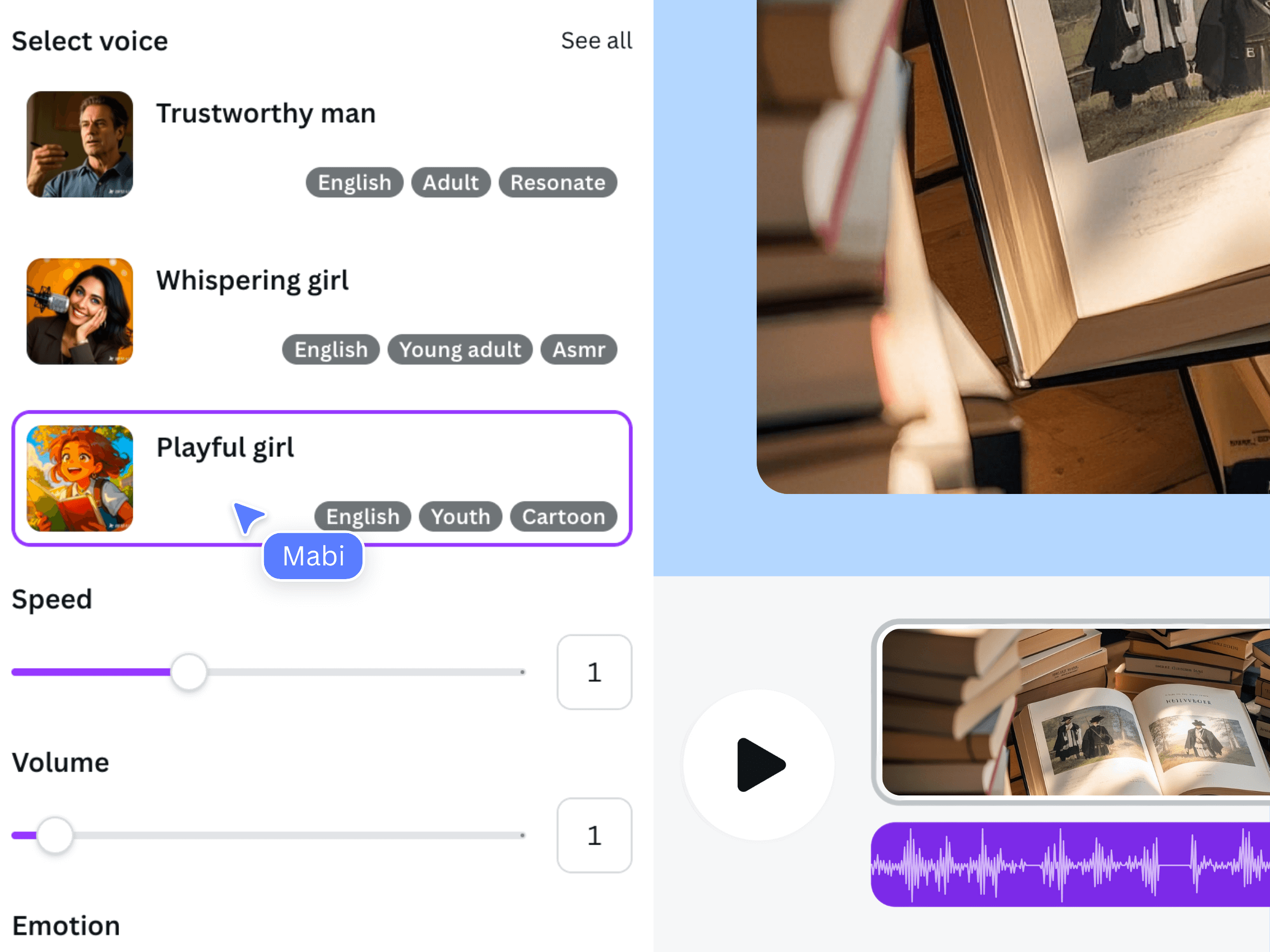
The earlier official promotional image shows the general product workflow. It is not a fundraiser, a beneficiary record, or a screenshot of the fictional workshop example.
Match the evidence to the audio in Canva
Place each accepted narration segment near the material that supports it. Give important explanations enough screen time to read, especially when the spoken sentence summarizes a more detailed funding statement. Do not place unrelated dramatic footage under a specific impact claim and expect viewers to recognize the distinction.
Use Canva's timeline and audio controls to arrange the narration and manage competing sound. If music is present, keep the spoken explanation intelligible. Preserve a calm closing frame with the actual campaign destination rather than cutting away immediately after the request.
Review the appeal and the final delivery together
Have the campaign owner compare the narration, visible text, and destination page against the evidence sheet. Check that dates and planned uses still match. Ask a second reviewer what they believe their contribution would support; a different interpretation may reveal an ambiguous sentence that needs revision.
Also review the video without sound. Essential campaign information should remain available as readable text, with captions if appropriate. This is a practical review step, not an accessibility certification. Download the finished video as MP4 and inspect that exported file, including the final request. Recheck approval after any change to the script, visuals, funding explanation, or destination before sharing a new version.
Frequently asked questions
Can I write a fictional beneficiary story to make the appeal easier to understand?
Do not present a fictional person as an actual beneficiary or testimonial. If an illustrative scenario is necessary, label it clearly and have the organization approve how it is used. Prefer real, authorized evidence when describing the campaign's actual work.
Should the script promise what one donation will achieve?
Only use a specific funding-to-outcome statement when the organization can support and approve it. Otherwise explain the intended use of contributions without turning a convenient example into a guaranteed result.
Does Voice AI provide a donation page or verify the campaign?
This workflow uses Voice AI for narration inside Canva. The campaign destination, donation handling, organizational verification, and supporting information come from the organization's separate processes, not from generating the audio.
What if the campaign details change after the voiceover is ready?
Revise the approved source sheet first. Update the spoken passage, on-screen text, captions, and destination information as needed, then review a new export. Keep older versions clearly identified so a superseded appeal is not shared accidentally.