
A faceless video does not need a talking avatar. You can explain a process with objects, diagrams, screen recordings, and your own hands, then add AI narration in Canva. Voice AI handles the spoken script; you decide which images actually prove the point and how the story unfolds.
This guide uses a simple subject: preparing a small packing station before an order is boxed. The example is original editorial guidance, not a claim about a real shop’s performance. It shows how to plan a useful video when you do not want to film a presenter, while keeping the explanation more specific than a sequence of decorative stock clips.
- Choose a subject you can demonstrate without a face
- Prepare an evidence-based shot and asset list
- Write narration that supplies meaning instead of describing everything
- Generate the voice and assemble an intentional visual rhythm
- Check whether the subject remains understandable without a presenter
- Frequently asked questions
Choose a subject you can demonstrate without a face
Look for a process whose evidence is visible in objects or actions. A packing station works because the viewer can see the items being grouped and the workspace changing. A personal product review is harder if its credibility depends on your own experience, so say clearly what you actually tested instead of hiding behind anonymous narration.
Write a narrow outcome: “The viewer can arrange a clear packing area before starting an order.” That outcome requires showing the empty surface, the materials, their arrangement, and a final check. It does not require an invented customer story or claims about faster shipping.
Decide whether the format will be a hands-only demonstration, a screen walkthrough, a diagram sequence, or a mix. Choose the format because it explains the subject. Adding an avatar is a separate production decision and is not necessary for a faceless video.
Prepare an evidence-based shot and asset list
Make a list of what must appear before writing polished narration. Separate necessary evidence from atmosphere. For the packing example, a close view of a label and a wide view of the station have different jobs; a generic warehouse clip may add mood but cannot prove how your own station is organized.
- Opening state: a clear view of the surface before materials are arranged.
- Inputs: the box, paper, tape and label materials used in the actual demonstration.
- Action detail: hands placing the materials in their working positions.
- Result: the station ready for one order, with room to inspect the label.
- Optional diagram: a simple overhead sketch that labels each zone.
Use original footage or assets you have permission to use. Keep personal customer details out of the sample label. Record the source of every externally supplied image or clip. A faceless format changes how you appear, but it does not remove the need for accurate examples or appropriate media rights.
Write narration that supplies meaning instead of describing everything
The voice should explain the decision behind an action. “I am placing tape on the left” adds little if the viewer already sees it. “Keep the tools within reach without covering the label-checking space” explains the tradeoff. Prefer directions that remain useful when a viewer’s own desk is arranged differently.
Original script example: “Before packing an order, clear one surface for the final check. Put the box and paper in the main working area. Keep tape and labels within reach, but leave the center clear. Place the order details beside the box, check the label, and only then close it. The layout can change; the final check should stay easy to do.”
Break the script into complete ideas and mark the matching assets. If you cannot name the visual that supports a sentence, either create that visual or remove the sentence. This simple test prevents a faceless video from becoming an unrelated slideshow with continuous narration.
Generate the voice and assemble an intentional visual rhythm
In Canva, open Voice AI by imagination-soft and test the paragraph containing your most important instruction. Choose a clear voice and a delivery pace that permits inspection. Generate approved passages, then add them to the design. Keep the same voice settings when you revise a nearby line.
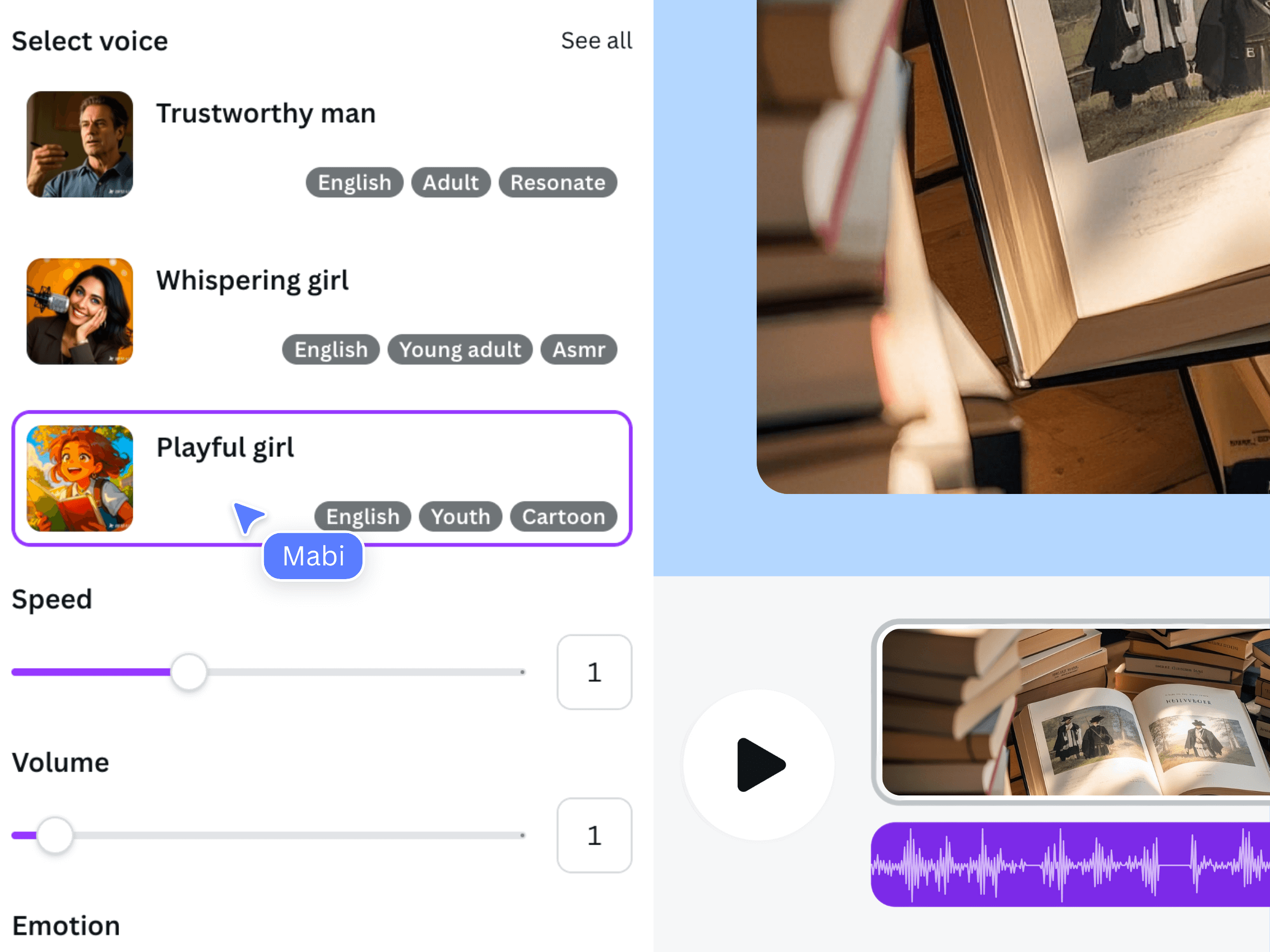
The official illustration shows an earlier voiceover interface, not the packing station. Use it to understand the voice-selection stage. The actual footage, diagram and final narration for your own project still need to be prepared and reviewed.
Alternate a context shot with a detail only when it helps the explanation. For instance, show the whole station before cutting close to the label check. Let a diagram remain visible through the sentence it explains. Do not change shots solely because an arbitrary number of seconds has passed.
If you replace a line, recheck the two neighboring shots. A longer replacement can push the instruction past the action it describes. The included official video demonstrates the general workflow only; it is not a newly generated faceless example.
Check whether the subject remains understandable without a presenter
Give the rough cut to someone who has not seen your shot list. Ask them what the process achieves and what they would do first. Their answer tells you more than asking whether the video feels professional. If they remember the music but not the label check, simplify the competing elements.
- Every instruction has a matching object, action, or explanatory diagram.
- The narration adds reasoning instead of reading every on-screen label.
- No private data is visible in sample screens, orders or labels.
- Caption wording is checked against the final spoken script.
- The finished MP4 contains a clear beginning, complete process and visible end state.
Save the asset list with the Canva design and approved script. A reusable shot plan is valuable when you make another process video because it identifies the footage you actually need. It does not promise automatic production, passive income, or audience growth; those outcomes cannot be established by choosing a faceless format.
Frequently asked questions
Does a faceless video need an AI avatar?
No. Hands-only footage, screen recordings, diagrams and object demonstrations can explain a subject without showing a presenter. Use an avatar only if it serves a clear purpose and you have separately confirmed the tool and permissions needed.
Can Voice AI make all of the visuals from my script?
The workflow described here uses Voice AI for narration. You prepare the footage or images and assemble the video in Canva. Do not assume a text-to-speech app also creates a complete visual sequence.
Can I make the video entirely from still images?
Yes, when the images actually explain the subject. Add purposeful crops, labels, or a clear sequence rather than constant decorative motion. Processes with important physical actions may need real footage to avoid ambiguity.
What should I do if the narration feels generic?
Replace broad advice with an observable decision from your actual example. Explain why one label-checking space remains clear, for instance, instead of saying that organization is important. Then show that decision in the corresponding visual.